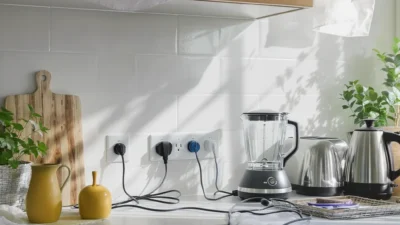
You diligently turn off lights and maybe even run your dishwasher on an eco-cycle, but the biggest energy drain in your home might be happening right now, silently, from devices you believe are switched off. This hidden consumption, known as standby power or phantom load, is the electricity used by appliances and electronics to maintain features like remote-control sensors, digital clocks, and instant-on readiness. While each device sips only a small amount, the collective effect of a dozen glowing LEDs and warm power adapters can add a surprising 5-10% to your annual electricity bill. This appliance usage habits and standby power guide isn’t about drastic lifestyle changes; it’s about making the invisible visible and adopting smarter, habitual interactions with the technology in your home to stop this quiet financial and environmental leak for good.
Here’s how to tackle standby power: start by identifying the biggest ‘vampire’ appliances in your home, like entertainment centers and kitchen countertop gadgets. Then, adopt simple habits like unplugging chargers and using advanced power strips for clusters of devices. This guide explains the science behind phantom loads and provides a room-by-room strategy to cut this hidden cost.
The Silent Energy Drain: What Standby Power Really Is
You flip the switch, the screen goes dark, and you assume the device is off, drawing zero power. That’s the first misconception. In reality, a vast array of modern electronics never truly “turn off.” They enter a low-power standby mode, waiting for your next command. This constant, quiet draw is known as standby power, but you might also hear it called phantom load or vampire power.
So, what’s sipping that electricity? It’s the small components inside that need to stay alive: the transformer in the power adapter converting AC to DC, the microchip waiting for a signal from your remote control, the LED clock on your microwave, or the network connectivity in your smart speaker. Features like instant-on, remote readiness, and scheduled updates are convenient, but they come with a 24/7 energy cost. As the U.S. Department of Energy explains, this idle power draw can account for 5-10% of a typical home’s annual electricity use, making it a significant, yet invisible, line item on your bill.
Your Home’s Phantom Load Hotspots: A Room-by-Room Audit
To effectively reduce standby power, you first need to know where to look. Let’s walk through a typical home and identify the biggest energy vampires in each zone. Remember, the wattage can vary, but even a few watts per device adds up over thousands of hours.
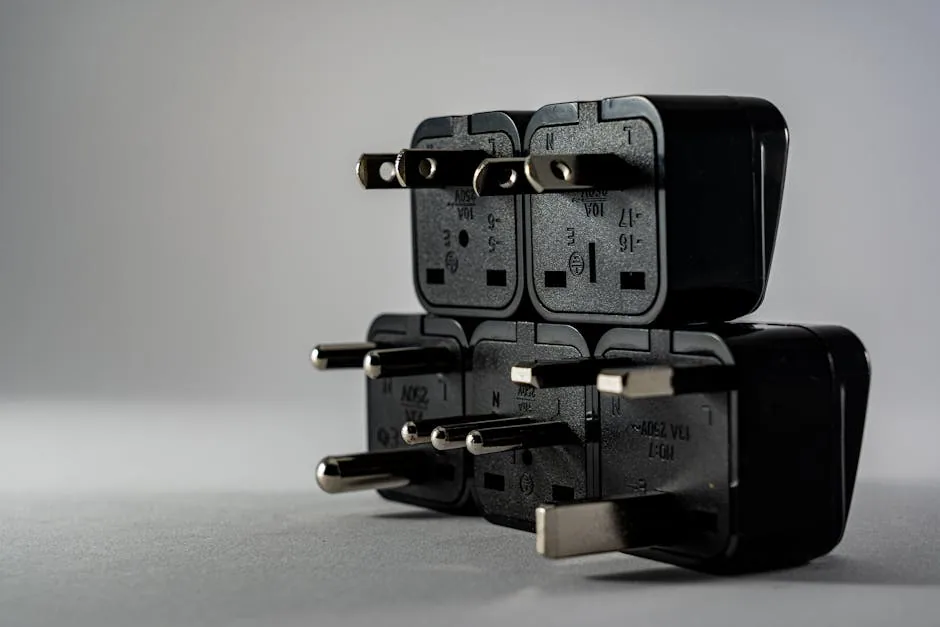
Photo by Castorly Stock on Pexels
Living & Entertainment Areas
This is often the worst offender. A modern entertainment center is a cluster of constant power draw: the television (1-3W), cable/satellite box (10-30W), gaming console in standby (1-10W), soundbar (1-5W), and streaming devices (1-3W each). A printer left on can draw 3-5W just waiting for a print job.
Home Office
Your workstation is a hub of phantom load. The desktop computer monitor (0.5-3W), external speakers, laptop charger (0.2-0.5W even when the laptop is disconnected), and that desk lamp with a dimmer or smart bulb all contribute. A wireless router and modem are necessary but are classic always-on appliances.
Kitchen
This room is full of standby power kitchen appliances. Your microwave’s clock and control panel can use 3-5W. A coffee maker with a programmable timer and digital display draws power constantly. Even a toaster oven with a digital clock or an electric kettle with a keep-warm function adds to the load.
Bedrooms & Other Areas
Don’t overlook phone and tablet chargers left plugged into the wall (a “wall wart”), smart home hubs, digital alarm clocks, and ceiling fans with remote controls. Electric toothbrush chargers and night lights also contribute small, persistent draws.
Building Smarter Appliance Habits: Beyond Just Unplugging
Telling someone to unplug everything is impractical. The goal is to build sustainable appliance energy saving habits that fit into your life. Think of it as a spectrum of effort, from quick wins to more strategic setups.
Do This: Use a basic power strip for clusters of related devices (like your entertainment center or computer peripherals) and switch it off when not in use.
Not That: Leaving every device individually plugged into an always-live wall outlet.
Do This: Enable built-in energy-saving or eco modes on your TV, computer, and game console, which reduce standby power draw.
Not That: Assuming the default “instant-on” or “fast start” setting is the only option.
Do This: Unplug chargers and small appliances (like the coffee maker or toaster) once they’ve finished their job.
Not That: Leaving chargers plugged in 24/7 and treating countertop appliances as permanent fixtures.
Quick-Win Habit Stack
- When you finish watching TV, hit the power strip switch.
- Unplug your laptop charger from the wall once the battery is full.
- Use the power button on your printer, turning it on only when needed.
- Configure your game console to enter a lower-power “rest mode” instead of staying fully network-ready.
The Tool That Changes the Game: Smart and Advanced Power Strips
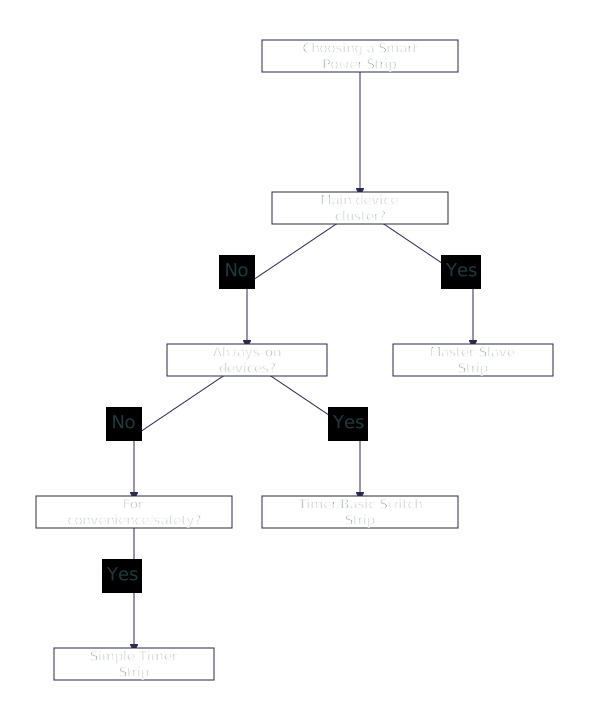
For the clusters you use daily, manually switching a strip can become a chore. This is where smart power strips (or advanced power strips) automate your appliance energy saving habits. They intelligently cut power to secondary devices when the primary device is turned off.
Master-Slave (Controlled Outlet) Strips
This is the most common and effective type for entertainment centers and computer desks. You plug your main device (e.g., TV, desktop PC) into the “master” outlet. When you turn that device off, the strip cuts power to all the “slave” outlets (cable box, speakers, printer, monitor). It eliminates the guesswork.
Timer-Based Strips
Perfect for devices that follow a schedule. Use them for charging stations (to prevent overcharging), holiday lights, or a router/modem combo if you want them to reboot daily. You set specific on/off times, automating the process.
Occupancy-Sensing & Wi-Fi Strips
These use motion sensors or connect to your home network. An occupancy-sensing strip can turn off office peripherals when you leave the room. A Wi-Fi strip allows you to control outlets remotely via an app or set schedules, offering maximum flexibility for irregular habits.
Common Mistakes That Undermine Your Energy Savings
Even with the best intentions, a few missteps can negate your efforts or create safety hazards. Avoid these common pitfalls when implementing your standby power strategy.
Overloading Power Strips: Plugging one power strip into another (daisy-chaining) is a major fire hazard and can trip circuits. Always plug strips directly into a wall outlet rated for the total amperage.
Ignoring High-Draw “Always-On” Devices: It’s tempting to put everything on a switch, but some devices need constant power. Never plug your refrigerator, freezer, sump pump, or medical equipment into a switched power strip. The modem and router may need to stay on for internet access.
Forgetting Seasonal and Infrequent Items: The battery charger in the garage, the spare TV in the guest room, or the patio fountain pump are classic energy vampires that run for months unnoticed. Make a seasonal checklist to unplug or disconnect these items.
Assuming “Off” Means Zero: The biggest mistake is complacency. If a device has a remote, a clock, an external power brick, or a soft-touch button, it’s likely drawing standby power. Verify by feeling for warmth or using an energy monitor.
Turning Awareness into Action
Conquering standby power isn’t about a single, exhausting purge of every plug in your home. It’s about building a layer of awareness and integrating a few smarter choices into your routine. Start by tackling one cluster—your entertainment center or home office—with a simple power strip or a smart upgrade. The savings from that single action will reinforce the habit.
View this as an ongoing practice of energy mindfulness, not a one-time chore. Each small habit shift, from unplugging a charger to enabling an eco-mode, chips away at that hidden phantom load. Over a year, these changes compound into noticeable savings on your electricity bill and a reduced environmental footprint. You’ve now seen the invisible drain; you have the simple tools to stop it.
To effectively reduce standby power and build better appliance energy saving habits, focus on these three actionable steps:
- Identify Your Top Vampires: Conduct a quick room-by-room audit. Focus on entertainment centers, kitchen counters, and home office setups where devices with clocks, remotes, and external power bricks cluster.
- Implement Habit Stacks: Adopt simple, repeatable actions like switching off a basic power strip for your TV setup, unplugging chargers, and using built-in energy-saving modes on electronics.
- Deploy Smart Tools Strategically: For clusters you use daily, invest in an advanced power strip (like a master-slave strip for your TV) to automate power cuts and eliminate phantom load effortlessly.